For years, pharmacies have been told the biggest DSCSA challenge would be serialization and electronic traceability.
But now that pharmacies are actively receiving serialized product data from suppliers and wholesalers, the real operational problems are starting to appear.
And in many cases, the issue is not the pharmacy.
The issue is the data.
Across the industry, pharmacies are beginning to encounter:
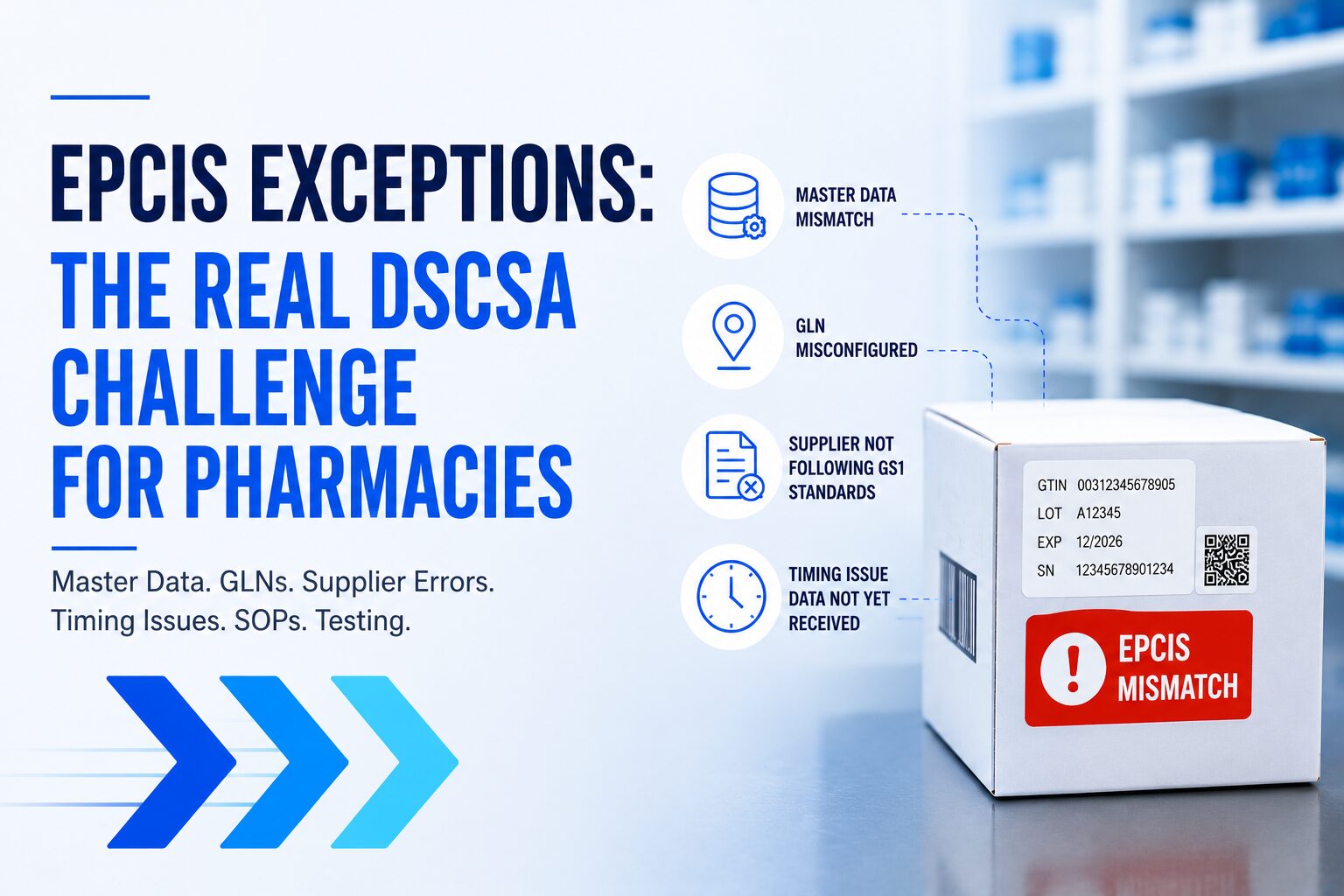
- Incorrect master data
- GLN configuration issues
- EPCIS files that do not follow GS1 standards
- Timing delays where shipments arrive before EPCIS data
- Aggregation mismatches
- Missing serialized records
- Supplier onboarding problems
- Inconsistent implementation between trading partners
The reality is simple:
DSCSA only works well when every trading partner follows the same standards consistently.
Unfortunately, that is not always happening.
And when the data is wrong, pharmacies are the ones left trying to figure out how to keep operations moving.
The Biggest DSCSA Problem Right Now Is Bad Data
One of the biggest misconceptions in the industry is that once EPCIS connectivity is established, DSCSA will simply work automatically.
But pharmacies are quickly learning that even connected systems can fail if:
- The master data is incorrect
- The GLN is not configured properly
- Suppliers are not following GS1 EPCIS standards correctly
- Product hierarchy data is inaccurate
- Timing between shipment and EPCIS transmission is inconsistent
When any of these problems occur, receiving operations can slow down immediately.
Instead of simply scanning and receiving inventory, pharmacy staff suddenly need to:
- Investigate mismatches
- Contact suppliers
- Review shipment records
- Compare serial numbers
- Quarantine products
- Delay inventory release
- Document findings
- Escalate issues internally
And for pharmacies already operating with limited staff, this creates significant operational pressure.
Master Data Problems Are Creating Major Issues
One of the most common DSCSA issues pharmacies are beginning to experience involves incorrect master data.
Master data includes information such as:
- GTINs
- Product descriptions
- NDC mappings
- Package hierarchy
- Manufacturer information
- Lot formatting
- Serialization structure
If master data is incorrect between trading partners, EPCIS transactions can fail even when the product itself is valid.
For example:
- A GTIN may not match the expected product record
- The supplier may use an outdated product hierarchy
- Packaging configuration may differ from what the pharmacy expects
- Product identifiers may not properly map inside receiving systems
When this happens, pharmacies may see:
- Failed scans
- Unknown products
- Serialization mismatches
- Receiving delays
- Rejected transaction data
How Pharmacies Should Resolve Master Data Issues
When master data problems occur, pharmacies should follow a structured process:
Step 1: Verify the Product Identifier
Compare:
- GTIN
- NDC
- Lot number
- Expiration date
- Serial number
against:
- EPCIS transaction data
- Purchase order
- Invoice
- Product catalog
Step 2: Identify the Source of the Mismatch
Determine whether:
- The supplier sent incorrect master data
- The pharmacy system contains outdated information
- A mapping issue exists between systems
- The product was repackaged or updated
Step 3: Escalate to the Supplier
Provide:
- GTIN
- Shipment reference
- Serial number
- Screenshots if available
- EPCIS event details
Step 4: Document the Investigation
Every discrepancy should be documented for:
- Compliance purposes
- Future audits
- Internal operational tracking
- Supplier accountability
GLN Issues Are One of the Most Overlooked DSCSA Problems
Another major issue pharmacies are running into involves improperly configured GLNs.
A GLN (Global Location Number) identifies trading partner locations in DSCSA transactions.
If the GLN is incorrect, the EPCIS data may:
- Route incorrectly
- Fail validation
- Go to the wrong endpoint
- Become disconnected from the shipment
- Prevent successful receiving
This problem is more common than many realize.
Sometimes:
- A supplier has the wrong pharmacy GLN
- The pharmacy is using multiple GLNs incorrectly
- Legacy systems still reference outdated GLNs
- The shipping GLN does not match the receiving GLN
- Test environments and production environments become mixed
Signs of a GLN Problem
Common warning signs include:
- Supplier says data was sent but pharmacy never received it
- EPCIS file exists but cannot be matched to the shipment
- Receiving system cannot locate transaction information
- Data validation failures occur repeatedly with one supplier
- One location receives data while another does not
How Pharmacies Should Resolve GLN Issues
Step 1: Verify the Pharmacy GLN
Confirm:
- The correct GLN is registered
- The supplier has the correct GLN on file
- Production GLNs are being used
- No outdated GLNs remain active
Step 2: Confirm Supplier Configuration
Ask suppliers to validate:
- Sender GLN
- Receiver GLN
- Ship-from location
- Ship-to location
- Endpoint routing
Step 3: Perform End-to-End Testing
Never assume GLN configuration is correct without testing.
Pharmacies should:
- Test shipment scenarios
- Validate EPCIS routing
- Confirm successful receipt
- Verify data visibility before going live
One of the Biggest Industry Problems: Suppliers Not Following GS1 EPCIS Standards Correctly
This is becoming a major operational issue across the industry.
Not every supplier implements EPCIS the same way.
Some suppliers:
- Misconfigure aggregation events
- Send incomplete EPCIS data
- Use incorrect business transaction references
- Structure files differently
- Omit required events
- Use inconsistent formatting
- Fail to follow GS1 best practices fully
As a result, pharmacies may receive EPCIS files that technically exist but operationally do not work correctly.
This creates confusion because the supplier may believe:
“We sent the data successfully.”
Meanwhile, the pharmacy cannot properly receive or validate the shipment.
Timing Problems Are Creating Receiving Delays
Another growing issue is timing.
A supplier may confirm:
“The shipment was sent.”
But the pharmacy still has no EPCIS data available.
This creates operational uncertainty during receiving.
The pharmacy now has to determine:
- Is the data delayed?
- Was it sent incorrectly?
- Is there a routing issue?
- Is this a GLN problem?
- Is the shipment valid?
- Should the product be quarantined?
How Pharmacies Should Investigate Timing Issues
When a shipment arrives without EPCIS data:
Step 1: Confirm Shipment References
Check:
- PO number
- Invoice number
- ASN
- Shipment ID
- SSCC
- Tracking number
Step 2: Search by Serialized Product Information
Search using:
- GTIN
- Lot number
- Serial number
Step 3: Confirm Data Transmission Time
Ask the supplier:
- When was EPCIS transmitted?
- Which endpoint was used?
- Which receiver GLN was targeted?
- Was the file acknowledged successfully?
Step 4: Hold Product Until Resolved
If the shipment cannot be reconciled, pharmacies should follow internal SOP procedures before releasing inventory.
The Most Important Thing Pharmacies Need: A Strong SOP
One of the biggest mistakes pharmacies can make is trying to handle DSCSA exceptions without a formal SOP.
Every pharmacy should have documented procedures for:
- Missing EPCIS data
- Serialization mismatches
- GLN issues
- Aggregation failures
- Supplier communication
- Product quarantine
- Investigation documentation
- Inventory release procedures
Without a defined SOP, every exception becomes:
- Confusing
- Inconsistent
- Labor intensive
- Difficult to audit
A strong SOP allows pharmacy teams to respond consistently and confidently when issues occur.
Test, Test, Test Before Accepting a New Supplier or Product Workflow
This may be one of the most important DSCSA lessons pharmacies can learn.
Never assume a supplier is fully operational simply because they say they support EPCIS.
Before going live, pharmacies should test:
- GLN routing
- EPCIS receipt
- Serialization validation
- Aggregation accuracy
- Product matching
- Timing scenarios
- Exception handling
- Acknowledgment workflows
Testing should include real operational scenarios — not just successful “happy path” examples.
Because once live product begins moving through pharmacy operations, fixing problems becomes significantly harder.
DSCSA Is Becoming an Operational Discipline
The industry is now learning that DSCSA success is not just about exchanging files.
It is about:
- Data quality
- Process consistency
- Operational readiness
- Supplier coordination
- Workflow management
- Exception resolution
The pharmacies that prepare operationally will experience far less disruption.
The pharmacies that rely on manual investigations and reactive workflows will likely struggle as serialized transaction volume increases.
Building Better SOPs for DSCSA
One of the best things pharmacies can do right now is strengthen their DSCSA SOP documentation before issues occur.
A well-designed SOP should clearly define:
- What to do when EPCIS is missing
- How to investigate serialization mismatches
- How to handle quarantined product
- Who contacts suppliers
- How exceptions are documented
- When inventory can be released
- How audits are supported
Did you know that TrackTraceRX offers a free SOP tool that allows pharmacies and trading partners to build and manage SOP documentation for DSCSA workflows?
You can create your SOP documentation here:
As DSCSA continues evolving, operational preparedness may become just as important as compliance itself.